Skip to content

Popular searches
Not sure what to search? Try the runtime calculator
Will it run my…

Can a power station run a laptop (13-16 in)?

Updated
Short answer

Yes. A laptop charger draws up to about 65 W and averages about 39 W in use, so a 288 Wh power station covers a 6-hour workday and a 1,000 Wh unit covers about 22 to 23 hours.

Calculate your runtime
Running
65 W
30–140 W range
Start-up
65 W
Runs
60%
of the time, about 39 W average

Laptop chargers are sized for the worst case. Adapters range from about 30 W for thin models to 140 W for large ones. A charger only draws close to its rating while the battery is low, then it tapers off. We plan on 65 W at peak and about 60% of that on average while you work.

There is no surge, so every station in our table can run a laptop. A typical 6-hour workday at about 39 W average uses about 234 Wh, or roughly 275 Wh of battery after inverter losses. That fits a 288 Wh unit, just. A 500 Wh unit covers about 11 hours and a 1,000 Wh unit about 22 to 23.

You can do better than those numbers by skipping the AC outlet. Most stations in our table have USB-C ports rated at 100 W or 140 W, and charging over USB-C avoids the inverter, which loses about 10 to 15% of the battery. A power station is more than you need if all you charge is a laptop and a phone. If you also need a router to stay online, it is the simplest way to keep working through an outage.

How long does each power station run a laptop (13-16 in)?

At about 39 W on average, a laptop (13-16 in) runs for about 6 hrs on the 286 Wh EcoFlow RIVER 3 Plus, about 22 hrs to 23 hrs on a 1,000 Wh-class unit (998–1,070 Wh) and about 4 days on the 4,096 Wh EcoFlow DELTA Pro 3.

Swipe sideways for battery size, output and price →

Hours a laptop (13-16 in) runs on each power station, from a full charge with nothing else plugged in (15% inverter loss). Sorted by battery size.
Power stationRuntimeBatteryOutput / surgePrice range
EcoFlow RIVER 3 Plus6 hrs286 Wh600 / 1,200 W$180–$300
BLUETTI Elite 30 V26.5 hrs288 Wh600 / 1,500 W$180–$280
Jackery Explorer 300 v26.5 hrs288 Wh300 / 600 W$200–$280
Goal Zero Yeti 50011 hrs499 Wh500 / 1,000 W$340–$500
Goal Zero Yeti 1000 (6th Gen)22 hrs998 Wh2,000 / 3,600 Wlist price about $1,200
Anker SOLIX C1000 Gen 222 hrs1,024 Wh2,000 / 3,000 W$400–$600
BLUETTI Elite 100 V222 hrs1,024 Wh1,800 / 3,600 W$380–$500
DJI Power 1000 V222 hrs1,024 Wh2,600 / 2,600 W$340–$450
EcoFlow DELTA 322 hrs1,024 Wh1,800 / 3,600 W$500–$700
EcoFlow DELTA 3 Plus22 hrs1,024 Wh1,800 / 3,600 W$550–$800
Jackery Explorer 1000 v223 hrs1,070 Wh1,500 / 3,000 W$430–$560
BLUETTI AC18025 hrs1,152 Wh1,800 / 2,700 W$400–$500
Jackery Explorer 2000 v245 hrs2,042 Wh2,200 / 4,400 W$700–$1,000
Anker SOLIX C2000 Gen 245 hrs2,048 Wh2,400 / 4,000 W$700–$900
DJI Power 200045 hrs2,048 Wh3,000 / 3,600 W$700–$1,300
BLUETTI Elite 200 V245 hrs2,074 Wh2,600 / 3,900 W$700–$900
BLUETTI Apex 3003 days2,765 Wh3,840 / 7,680 W$1,200–$1,600
Jackery HomePower 30003 days3,072 Wh3,600 / 7,200 W$900–$1,500
Anker SOLIX F3800 Plus3 days3,840 Wh6,000 / 9,000 W$2,090–$2,700
EcoFlow DELTA Pro 34 days4,096 Wh4,000 / 8,000 W$2,400–$3,700

Estimate: battery Wh × 0.85 ÷ 39 W average (65 W × 0.6 duty). Your model may draw more or less; check its label. Prices are typical ranges we checked by hand on October 9, 2026, not live prices.

Where these numbers come from

Apple ships MacBook Pro with a 70 W to 140 W adapter, but a laptop draws its full rating only while the battery is low. A full 72 to 100 Wh laptop battery is about a tenth of a 1,000 Wh station.

Sources

  1. Apple MacBook Pro tech specs · apple.com
  2. Apple MacBook Air tech specs · apple.com

We do not test units ourselves. Picks come from the official spec sheets and manuals, the watt-hour math on this site, and prices we check by hand. How we pick

Good fits for a laptop (13-16 in)

#1
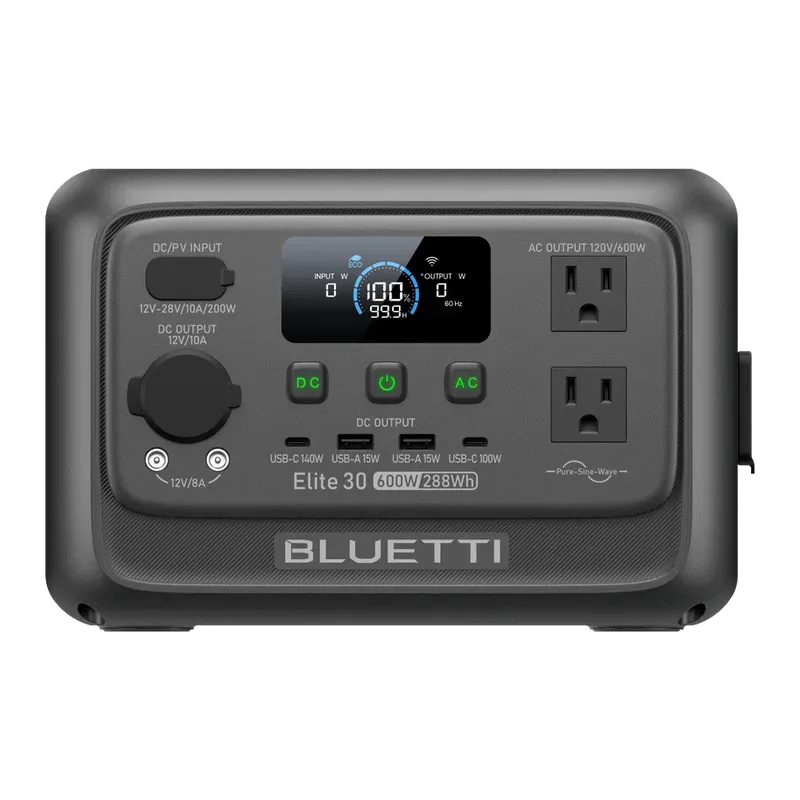
BLUETTI Elite 30 V2 portable power station, front view

BLUETTI Elite 30 V2

$180–$280 · price checked

Capacity
288 Wh
Output
600 W (1,500 W surge)
Battery
LiFePO4, 3,000 cycles
Weight
9.5 lb
Wall charge
1 h 10 min
Solar input
200 W

Why it won: Runs a laptop (13-16 in) for about 6.5 hrs on one charge.

  • Only 9.5 lb, easy to carry one-handed
  • 140 W USB-C can charge a laptop at full speed
  • Refills from a wall outlet in about 70 minutes
  • 10 ms UPS switch-over protects a router or small electronics during an outage
  • 288 Wh is only enough for phones, laptops, lights and a small fan
  • 600 W output cannot run a microwave, coffee maker or space heater normally
  • Cannot add extra batteries
Full specs and runtimes for the BLUETTI Elite 30 V2
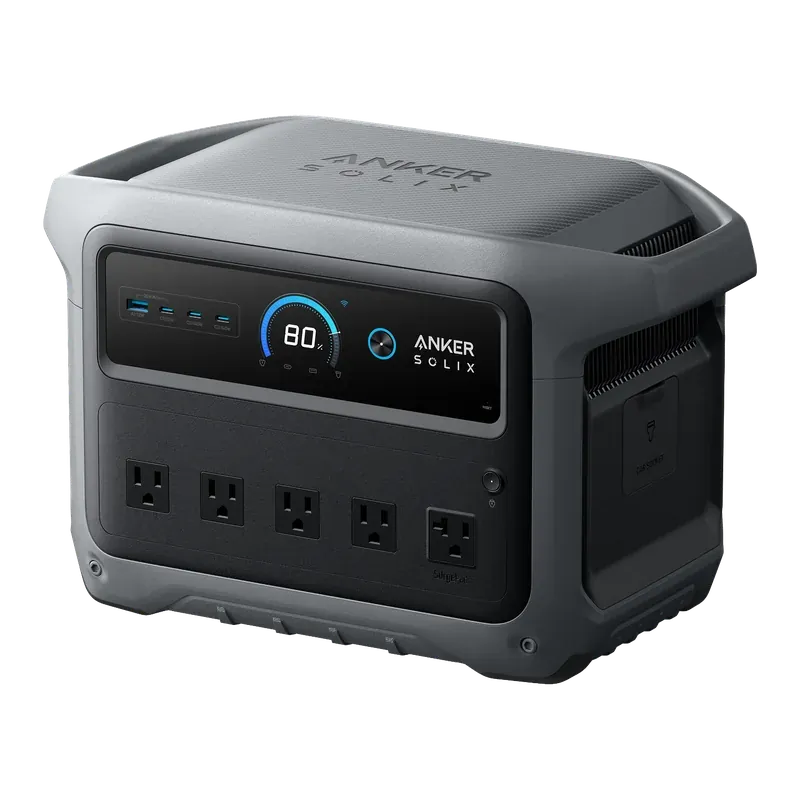
#2
Anker SOLIX C1000 Gen 2 portable power station, front view

Anker SOLIX C1000 Gen 2

$400–$600 · price checked

Capacity
1,024 Wh
Output
2,000 W (3,000 W surge)
Battery
LiFePO4, 4,000 cycles
Weight
24.9 lb
Wall charge
49 min
Solar input
600 W

Why it won: Runs a laptop (13-16 in) for about 22 hrs on one charge.

  • 2,000 W output runs a fridge, microwave or space heater
  • Refills from empty in under an hour from a wall outlet
  • 10 ms UPS switch-over protects a CPAP or computer
  • 4,000-cycle LiFePO4 battery in a compact 24.9 lb body
  • Capacity cannot be expanded, unlike the older C1000
  • Only one USB-A port
  • The 49-minute charge needs the app and a battery above 68°F
Full specs and runtimes for the Anker SOLIX C1000 Gen 2
#3
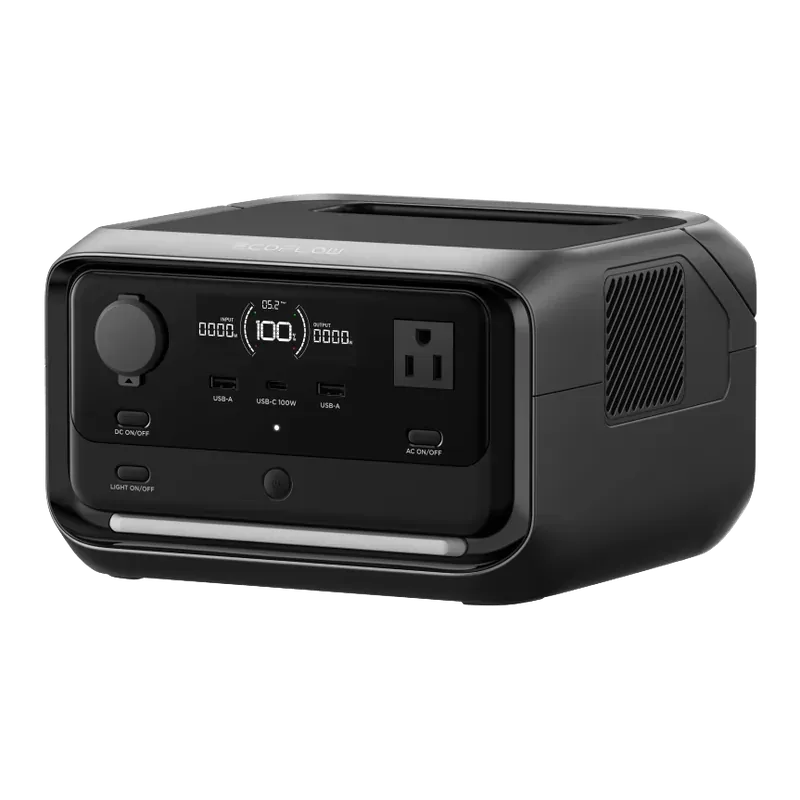
EcoFlow RIVER 3 Plus portable power station, front view

EcoFlow RIVER 3 Plus

$180–$300 · price checked

Capacity
286 Wh
Output
600 W (1,200 W surge)
Battery
LiFePO4, 3,000 cycles
Weight
10.4 lb
Wall charge
1 h
Solar input
220 W

Why it won: Runs a laptop (13-16 in) for about 6 hrs on one charge.

  • Light enough to carry one-handed at 10.4 lb
  • Refills from a wall outlet in about an hour
  • 10 ms UPS switch-over keeps a router, modem or CPAP running through a flicker
  • Snap on an EB300 or EB600 extra battery to reach 858 Wh
  • 286 Wh only runs small loads for a few hours
  • 600 W limit rules out most kitchen appliances and space heaters
  • Only one USB-C port
Full specs and runtimes for the EcoFlow RIVER 3 Plus

Make it last longer

  • • Charge over USB-C instead of the AC adapter when the station's port is rated for your laptop's wattage.
  • • Lower the screen brightness and close apps you are not using. The screen and processor are the biggest draws.
  • • Charge the laptop to full while the grid is up, then let it run on its own battery and top it up from the station.
  • • Turn on your laptop's battery-saver mode during an outage.

Add the rest of your devices

Yes, it can run this, about 6.5 hrs for a laptop (13-16 in) on the BLUETTI Elite 30 V2.

Step 1

What do you want to run?

  • Laptop (13-16 in)
    Number of Laptop (13-16 in): 1
Add more
Step 2

Pick a power station

600 W output · 1,500 W surge · full specs

For a laptop (13-16 in) on the BLUETTI Elite 30 V2:

Yes, it can run this
Estimated runtime
6.5 hrs
If everything ran flat out the whole time: about 4 hrs.
Running load
65 W
Average draw
39 W
Biggest surge
65 W
  • • Everything fits within the 600 W output and 1,500 W surge rating.

Math: battery Wh × 0.85 ÷ average watts. Cold weather, battery age and screen-on time all shorten this.

Power stations that can run this

We may earn a commission if you buy through these links. It doesn't change your price. How we make money
Price ranges checked by hand on October 9, 2026. Prices change often.

About 6.5 hrs
1 device on BLUETTI Elite 30 V2
See result

Common questions

How many times can a power station charge a laptop?
About 8 to 12 full charges from a 1,000 Wh unit for a laptop with a 72 to 100 Wh battery, after losses. A 288 Wh unit gives about 2 to 3.
How long will a power station run a laptop?
About 6 hours of use on a 288 Wh unit, 11 hours on a 500 Wh unit, and 22 to 23 hours on a 1,000 Wh unit, based on a 65 W charger averaging about 39 W.
Can I charge a laptop from a power station's USB-C port?
Yes, if your laptop charges over USB-C and the port's rating covers it. Stations in our table offer USB-C at 100 W or 140 W. A large laptop with a 140 W charger will charge more slowly from a 100 W port.

Related “will it run” questions