
Best power station for an apartment in 2026
As an Amazon Associate, BlackoutWise earns from qualifying purchases. We may also earn a commission when you buy through brand store links. This never changes the price you pay or which products we recommend. How we make money
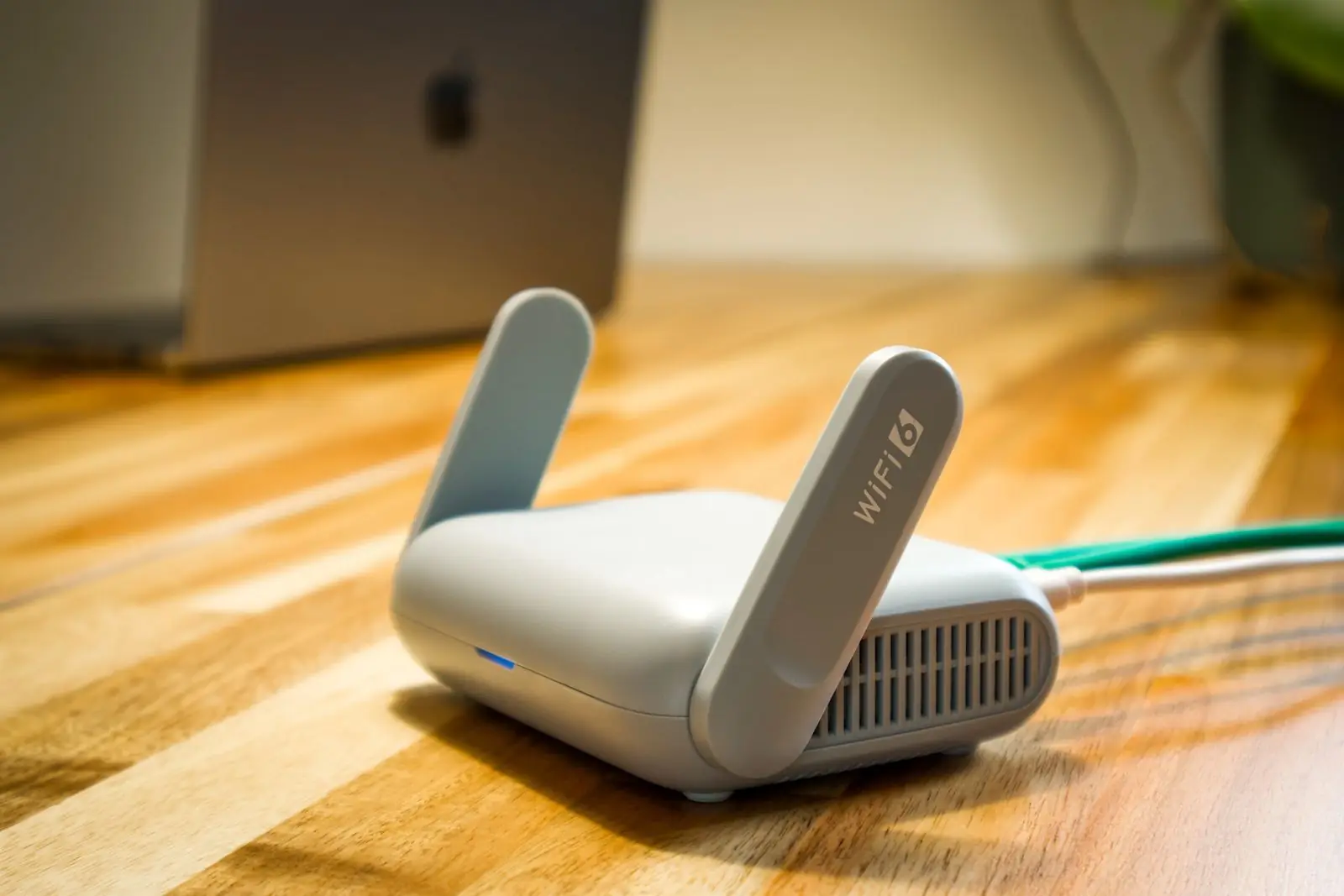
Our top pick for an apartment is the Anker SOLIX C1000 Gen 2. It keeps a Wi-Fi router and a work laptop running for about 13.5 hours, switches over in 10 ms so your video call does not drop, and refills from the wall in about 49 minutes with UltraFast charging turned on in the app.
Renters have a short list of options. Many leases and building rules do not allow gas generators, and you cannot install a transfer switch or put solar on the roof. Space is tight and there may be stairs. A battery power station fits all of that. It has no engine, burns no fuel, runs indoors and can stay plugged in as a backup every day.
We do not test units ourselves. We chose these picks from the official spec sheets and manuals, the watt-hour math on this site, and prices we check by hand. Runtimes are estimates that allow about 15% for inverter loss. See how we pick.
Quick picks
- 1. Best overall: Anker SOLIX C1000 Gen 21,024 Wh · 2,000 W · $400–$600
- 2. Best value: BLUETTI Elite 100 V21,024 Wh · 1,800 W · $380–$500
- 3. Best for small spaces: EcoFlow RIVER 3 Plus286 Wh · 600 W · $180–$300
- 4. Best for a home office: DJI Power 1000 V21,024 Wh · 2,600 W · $340–$450
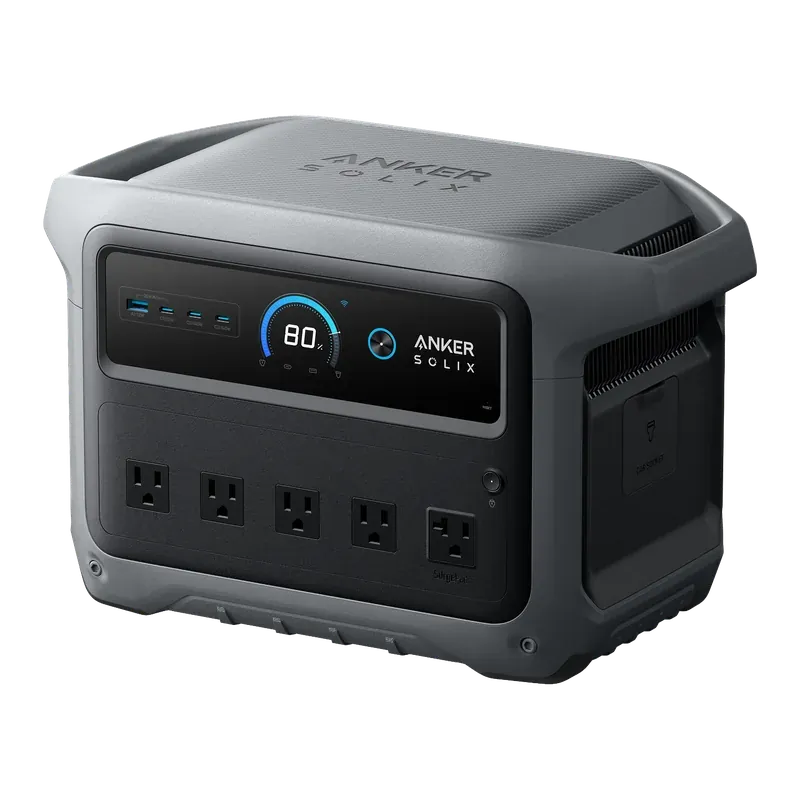
Anker SOLIX C1000 Gen 2
$400–$600 · price checked
- Capacity
- 1,024 Wh
- Output
- 2,000 W (3,000 W surge)
- Battery
- LiFePO4, 4,000 cycles
- Weight
- 24.9 lb
- Wall charge
- 49 min
- Solar input
- 600 W
Why it won: It has 1,024 Wh, 2,000 W of output and five AC outlets in a 24.9 lb body that fits on a closet shelf. A router and laptop together average about 64 W, so a full charge covers about 13.5 hours, more than a workday. The 10 ms UPS takes over almost at once when the power drops, and it refills in about 49 minutes once UltraFast charging is on in the app.
Skip it if: Skip it if you want to add batteries later, because you cannot. The fast charge also needs the app and a battery above 68°F.
- 2,000 W output runs a fridge, microwave or space heater
- Refills from empty in under an hour from a wall outlet
- 10 ms UPS switch-over protects a CPAP or computer
- 4,000-cycle LiFePO4 battery in a compact 24.9 lb body
- Capacity cannot be expanded, unlike the older C1000
- Only one USB-A port
- The 49-minute charge needs the app and a battery above 68°F
We may earn a commission if you buy through these links. It doesn’t change your price. How we make money
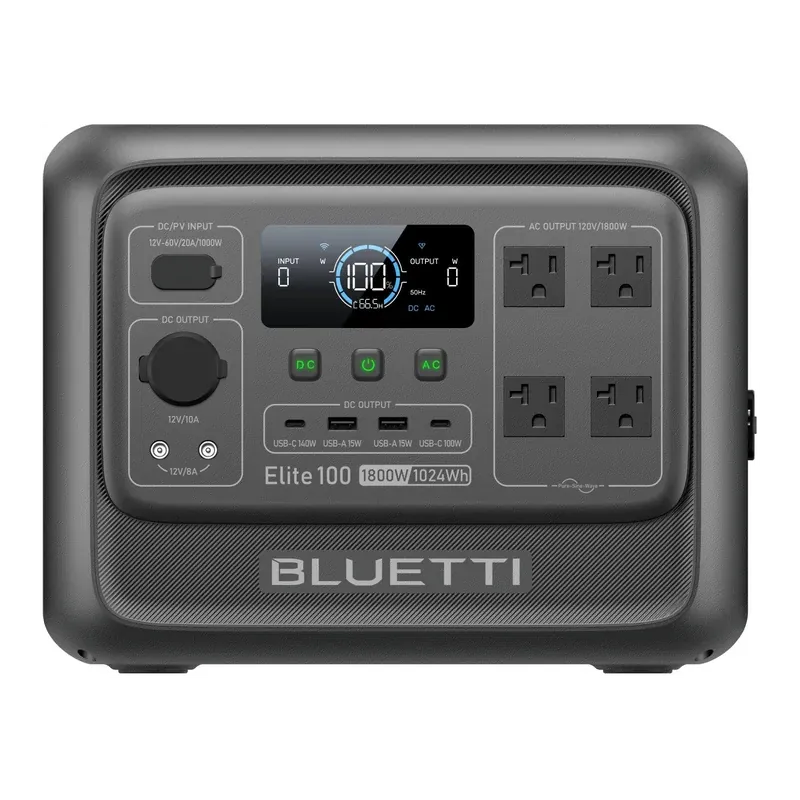
BLUETTI Elite 100 V2
$380–$500 · price checked
- Capacity
- 1,024 Wh
- Output
- 1,800 W (3,600 W surge)
- Battery
- LiFePO4, 4,000 cycles
- Weight
- 25 lb
- Wall charge
- 1 h 10 min
- Solar input
- 1,000 W
Why it won: It matches our top pick's 1,024 Wh and runtimes, about 13.5 hours for a router and laptop, with 1,800 W of output and a 10 ms UPS, and it usually costs a bit less. It weighs 25 lb and has two USB-C ports, rated up to 140 W, that can charge a big laptop without its wall brick.
Skip it if: It refills in about 70 minutes instead of 49, and it cannot add extra batteries. If you need to keep a fridge cold for more than most of a day, look at a bigger unit.
- 1,800 W output runs most kitchen appliances one at a time
- Full recharge from a wall outlet in about 70 minutes
- 25 lb, much lighter than the older AC180
- 4,000-cycle battery rated for about 10 years of use
- Cannot add extra batteries
- 1,024 Wh will run a fridge for roughly a day, not several days
- Reaching the full 1,000 W solar input takes several panels
We may earn a commission if you buy through these links. It doesn’t change your price. How we make money
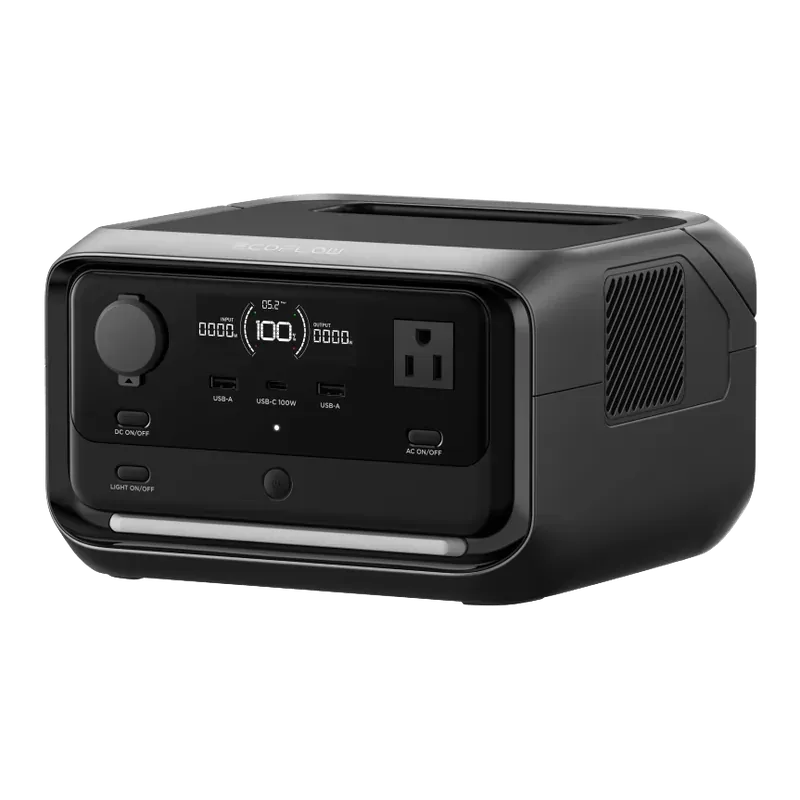
EcoFlow RIVER 3 Plus
$180–$300 · price checked
- Capacity
- 286 Wh
- Output
- 600 W (1,200 W surge)
- Battery
- LiFePO4, 3,000 cycles
- Weight
- 10.4 lb
- Wall charge
- 1 h
- Solar input
- 220 W
Why it won: At 10.4 lb, it is small enough to sit next to the router and stay there. Its 10 ms UPS keeps a router and modem up for about 10 hours, or a router and laptop for almost 4. Add an extra battery and it grows to 858 Wh, about 11 hours for both. It usually costs under $300.
Skip it if: With 286 Wh on its own, it covers a short outage or an afternoon of work, not a full day. Its 600 W limit also rules out a microwave or coffee maker.
- Light enough to carry one-handed at 10.4 lb
- Refills from a wall outlet in about an hour
- 10 ms UPS switch-over keeps a router, modem or CPAP running through a flicker
- Snap on an EB300 or EB600 extra battery to reach 858 Wh
- 286 Wh only runs small loads for a few hours
- 600 W limit rules out most kitchen appliances and space heaters
- Only one USB-C port
We may earn a commission if you buy through these links. It doesn’t change your price. How we make money
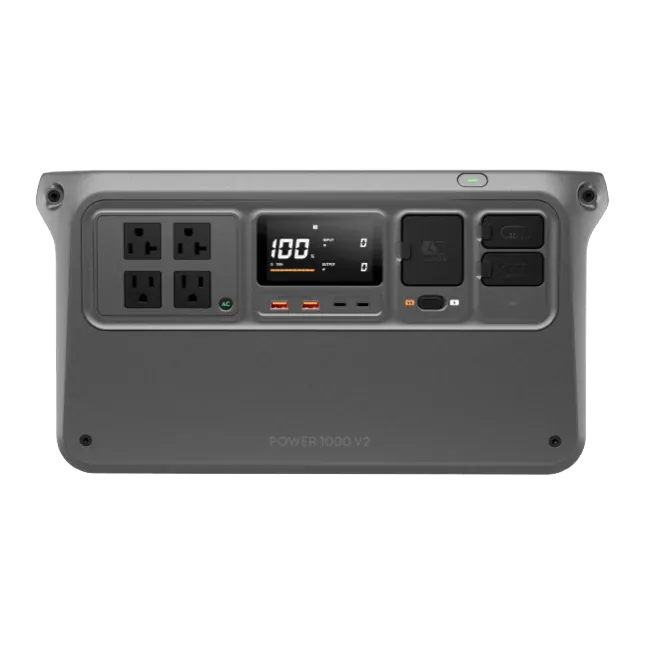
DJI Power 1000 V2
$340–$450 · price checked
- Capacity
- 1,024 Wh
- Output
- 2,600 W (2,600 W surge)
- Battery
- LiFePO4, 4,000 cycles
- Weight
- 31.3 lb
- Wall charge
- 56 min
- Solar input
- 1,800 W
Why it won: Its 2,600 W output can run a coffee maker or microwave, and it is rated at about 26 dB, which suits a bedroom or home office. You get 1,024 Wh, a 10 ms UPS, two 140 W USB-C ports and room to grow to 11,264 Wh if you move somewhere bigger. It often sells for under $450.
Skip it if: It has no 12V car socket and needs a DJI add-on for solar, which matters if you also want it for road trips. At 31.3 lb it is the heaviest pick here.
- 2,600 W output from a 1,024 Wh unit
- Full wall recharge in 56 minutes
- Very quiet (about 26 dB) and expands to 11,264 Wh
- 10 ms UPS switch-over for computers and routers
- No built-in 12V car socket; DC needs DJI's SDC accessories
- Solar needs a DJI add-on charger or MPPT module (400 W with the basic module)
- No separate surge rating above the 2,600 W output
We may earn a commission if you buy through these links. It doesn’t change your price. How we make money
How long each pick runs
On the Anker SOLIX C1000 Gen 2 (1,024 Wh), runtimes go from about 10 hrs for a box fan (20 in) to about 4 days for an LED light bulb (9 W), each running by itself.
Swipe sideways to see every device →
| Power station | Wi-Fi router + cable modem 25 W average | Laptop (13-16 in) 65 W running, about 39 W average | Full-size refrigerator 150 W running, about 45 W average | Box fan (20 in) 85 W average | LED light bulb (9 W) 9 W average |
|---|---|---|---|---|---|
| Anker SOLIX C1000 Gen 2 1,024 Wh | 35 hrs | 22 hrs | 19 hrs | 10 hrs | 4 days |
| BLUETTI Elite 100 V2 1,024 Wh | 35 hrs | 22 hrs | 19 hrs | 10 hrs | 4 days |
| EcoFlow RIVER 3 Plus 286 Wh | 9.5 hrs | 6 hrs | 5.5 hrs | 3 hrs | 27 hrs |
| DJI Power 1000 V2 1,024 Wh | 35 hrs | 22 hrs | 19 hrs | 10 hrs | 4 days |
Estimates: battery Wh × 0.85 ÷ the device’s average draw. Real runtime depends on temperature, battery age and how hard the device works.
Your fridge may use more
The fridge column assumes a newer ENERGY STAR model at 150 W while the compressor runs, or about 45 W on average. A 10- to 15-year-old or side-by-side fridge often averages 70 to 90 W. At 80 W, these picks last about 3 hrs on the EcoFlow RIVER 3 Plus (286 Wh) and about 11 hrs on the DJI Power 1000 V2 (1,024 Wh).
To find yours, divide the kWh per year on the yellow EnergyGuide label by 8.76. That gives the average watts. Fridge runtime on every station
Runtime on every station, one device at a time
Specs side by side
Swipe sideways to see every column →
| Spec | Anker SOLIX C1000 Gen 2 | BLUETTI Elite 100 V2 | EcoFlow RIVER 3 Plus | DJI Power 1000 V2 |
|---|---|---|---|---|
| Capacity | 1,024 Wh | 1,024 Wh | 286 Wh | 1,024 Wh |
| AC output (continuous) | 2,000 W | 1,800 W | 600 W | 2,600 W (better) |
| Surge | 3,000 W | 3,600 W (better) | 1,200 W | 2,600 W |
| Boost mode (heaters, kettles) | None | 2,700 W | 1,200 W | None |
| Battery type | LiFePO4 | LiFePO4 | LiFePO4 | LiFePO4 |
| Cycle life (rated) | 4,000 (to 80%) | 4,000 (to 80%) | 3,000 (to 80%) | 4,000 (to 80%) |
| Weight | 24.9 lb | 25 lb | 10.4 lb (better) | 31.3 lb |
| Wall charge time | 49 min (with UltraFast mode turned on in the app) (better) | 1 h 10 min (0–100% with TurboBoost; 80% in 45 min) | 1 h (0–100% from a wall outlet) | 56 min (Fast Recharge mode; 0–80% in 37 min) |
| Max solar input | 600 W | 1,000 W | 220 W | 1,800 W (needs add-on) |
| AC outlets | 5 (better) | 4 | 3 | 4 |
| USB-C ports (max) | 3 (140 W) | 2 (140 W) | 1 (100 W) | 2 (140 W) |
| USB-A ports | 1 | 2 | 2 | 2 |
| 12V / car port | Yes (1 DC ports) | Yes (3 DC ports) | Yes (1 DC ports) | No |
| Expandable | No | No | Yes, up to 858 Wh | Yes, up to 11,264 Wh |
| UPS switch-over | 10 ms | 10 ms | 10 ms | 10 ms |
| App control | Yes | Yes | Yes | Yes |
| Size | 15.1 x 8.2 x 9.6 in | 12.6 x 8.5 x 9.8 in | 9.2 x 9.1 x 5.8 in | 17.6 x 8.9 x 9.1 in |
| Released | 2025 | 2025 | 2025 | 2025 |
| Typical price | $400–$600 | $380–$500 | $180–$300 (better) | $340–$450 |
Needs add-on: solar charging on that unit needs a separate charger from the brand, sold separately. The figure shown is the best case with that add-on, so we don’t highlight a winner in that row.
Related comparisons
Torn between two of these? Each comparison gives a verdict, specs and runtimes side by side.
How much battery does a renter need?
Most apartment outages are about staying connected and keeping food cold. A router and modem use about 25 W together. A 13 to 16 inch laptop pulls up to about 65 W while charging and averages about 39 W. Together that is about 64 W.
Here is a worked example. An 8-hour workday on the router and laptop uses about 512 Wh. Allow 15% for the inverter and you need about 600 Wh of battery. A 1,024 Wh station covers that with about 5 hours to spare. A 286 Wh unit lasts about 4 hours, so it gets you through a morning.
If you also want to keep the fridge going, add about 45 W average. Router, laptop and fridge together average about 109 W, so a 1,024 Wh unit lasts about 8 hours. For an overnight outage, run the fridge and router and leave the laptop off.
What matters most in an apartment
UPS switch-over is the feature renters use most. Plug the station into the wall, plug your router, modem and laptop into the station, and leave it there. When the power drops, every pick here switches to battery in about 10 ms. Test it once during the day by unplugging the station from the wall.
Size and weight come next. Every pick here weighs 31.3 lb or less, and the RIVER 3 Plus is 10.4 lb. If you live up three flights or plan to take it camping, weight matters more than an extra 100 Wh.
Battery type matters when the unit sits by your desk every day. All four picks use LiFePO4 cells rated for 3,000 to 4,000 cycles, and this chemistry is more stable under heat than older NMC packs.
Solar is still possible on a balcony. You may not be able to mount panels, but a folding panel in a sunny spot can top up a station during a long outage. The RIVER 3 Plus takes up to 220 W, the C1000 Gen 2 up to 600 W and the Elite 100 V2 up to 1,000 W. Check your lease before leaving panels out.
Mistakes renters make
Buying a gas generator anyway. Beyond the lease rules, a generator on a balcony or in a hallway can push carbon monoxide into your home and your neighbors' homes. Indoors, a battery station is the safe choice.
Overbuying. A 2,000 Wh unit at about 40 lb or more is hard to store in a small closet. Unless you need to keep a fridge running for a full day, a 1,024 Wh unit covers most apartment outages.
Forgetting the modem. Your router does nothing without the modem or fiber box. Plug both into the station. Some buildings also have internet equipment in a hallway or basement closet, and if that loses power, your Wi-Fi drops anyway. Keep your phone's hotspot as a backup.
Daisy-chaining power strips. Plug the station straight into a wall outlet, and your router and laptop straight into the station.
Safety in a small space
Keep the station on a hard, flat surface with a few inches of space around the vents. Do not run it in a closed cabinet, under a bed or pressed against a wall under a desk. Keep it away from radiators, the kitchen sink and leaky windows.
If anyone in your home relies on a CPAP or oxygen, a power station should not be the only backup for that equipment. Talk to your supplier and register with your utility's medical-needs program.
Keeping it ready
Leave it plugged in. In UPS mode the station stays full and ready. Every few months, unplug it from the wall for a minute to make sure your router and laptop stay on.
Save power during an outage. Lower your laptop's screen brightness, charge phones from USB-C instead of their wall bricks, and turn the router off overnight if nobody needs it. A box fan on a hot night uses about 85 W, so a 1,024 Wh unit runs one for about 10 hours.
Common questions
- Can I use a power station in an apartment?
- Yes. Battery power stations burn no fuel and give off no fumes, so they are safe indoors, unlike gas generators. Keep yours on a dry, hard surface with a few inches of space around the vents.
- How long will a power station run a Wi-Fi router?
- A router and modem use about 25 W together. A 286 Wh unit runs them for about 10 hours, and a 1,024 Wh unit for about 35 hours, a bit under a day and a half.
- Will a power station keep my computer on during a power outage?
- Yes, if it has a UPS mode and you leave the computer plugged into it. All four picks list a 10 ms switch-over. A laptop has its own battery anyway, so the station mostly matters for the router, modem and any desktop or monitor. Test it with your own setup before you rely on it.
- Can a power station run my apartment fridge?
- Yes. A full-size fridge averages about 45 W and needs about 1,000 W of surge to start. The 1,024 Wh picks run one for about 19 hours, and even the RIVER 3 Plus has enough surge, though its battery lasts only about 5.5 hours.
- Is it OK to leave a power station plugged in all the time?
- Stations with a UPS mode, like all four picks here, are made to sit on wall power so they can take over in about 10 ms. Check your manual for any battery-care settings. The LiFePO4 batteries in these picks are rated for 3,000 to 4,000 cycles.